
Download IE Snapshot – Free Full Web Page Capture Tool for Windows
What Is IE Snapshot? A Lightweight Web Page Capture Solution
IE Snapshot is a powerful yet compact screen capture tool designed specifically for Windows users who need to capture entire web pages in one seamless image. Unlike standard screenshot tools that only capture what’s visible on the screen, IE Snapshot excels at capturing full-length web content—pages that extend beyond the viewport and require scrolling. This makes it an ideal solution for researchers, content creators, web developers, and anyone involved in documentation or digital archiving.
Developed by Accalio, IE Snapshot has been a trusted companion for Windows users since 2005. Despite its age, the software remains functional and reliable, especially for those still using older Windows systems like Windows 98 or Windows XP. It’s a free download, which has contributed to its popularity—over 46,000 downloads to date. While the last update was in 2009, the core functionality remains intact, and its minimal resource usage ensures it runs smoothly even on low-end hardware.
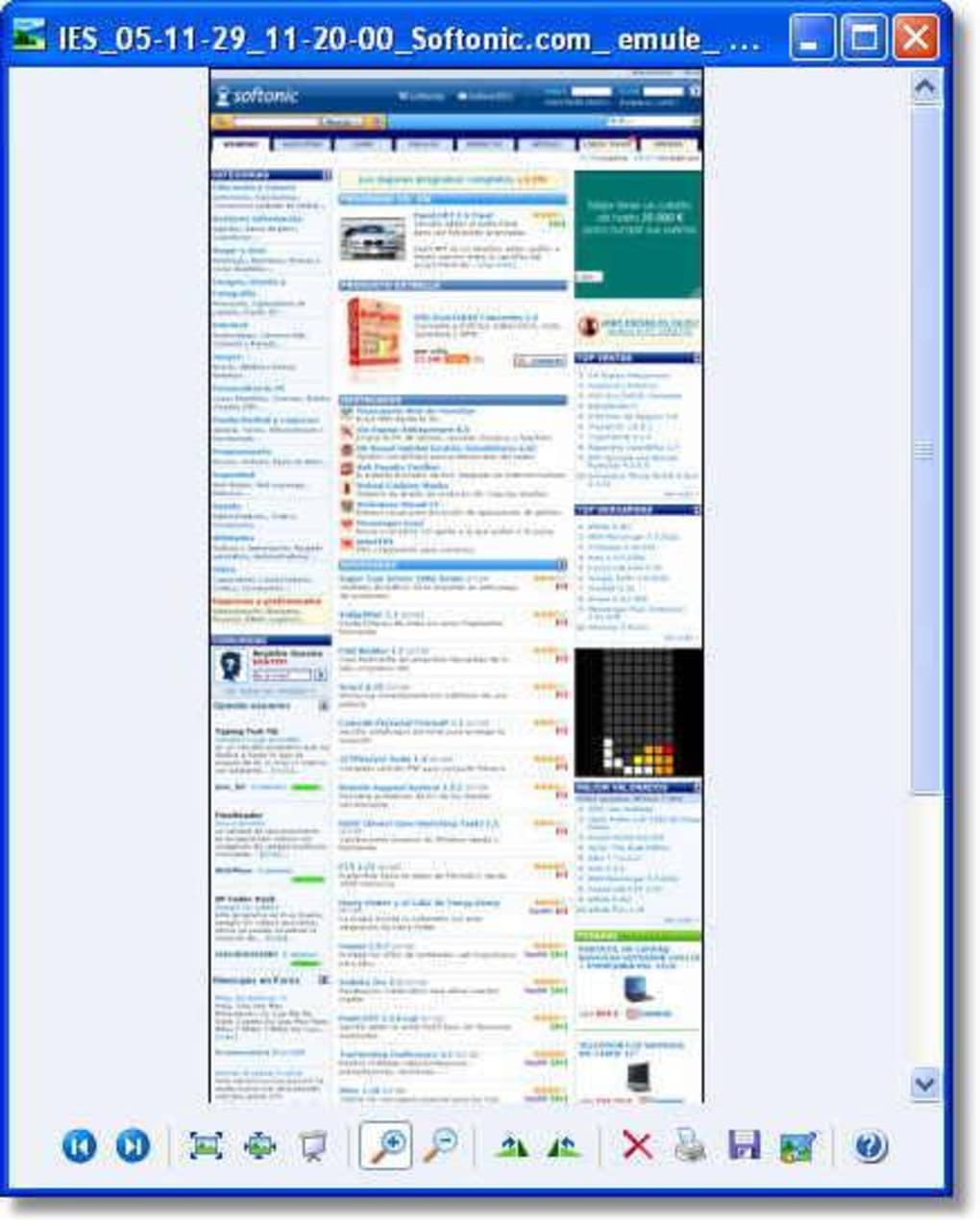
One of the standout features of IE Snapshot is its seamless integration with Internet Explorer. Once installed, it adds a simple button to the browser’s toolbar, allowing users to capture full web pages with a single click. There’s no complex setup or steep learning curve. The tool automatically scrolls through the page, captures each section, and stitches them together into a single high-resolution image file. The output is saved in common formats like PNG or JPEG, making it easy to share or embed in reports, presentations, or websites.
Key Features That Make IE Snapshot a Must-Have Tool
IE Snapshot offers a clean, focused feature set that delivers on its promise: capturing complete web pages without hassle. Its simplicity is one of its greatest strengths. Here’s what makes it stand out:
- Full Page Capture: Automatically scrolls through long web pages and captures every section, including hidden or dynamically loaded content.
- Lightweight Design: Uses minimal system resources—ideal for older computers or systems with limited RAM.
- Easy Integration with IE: Adds a toolbar button directly to Internet Explorer for instant access.
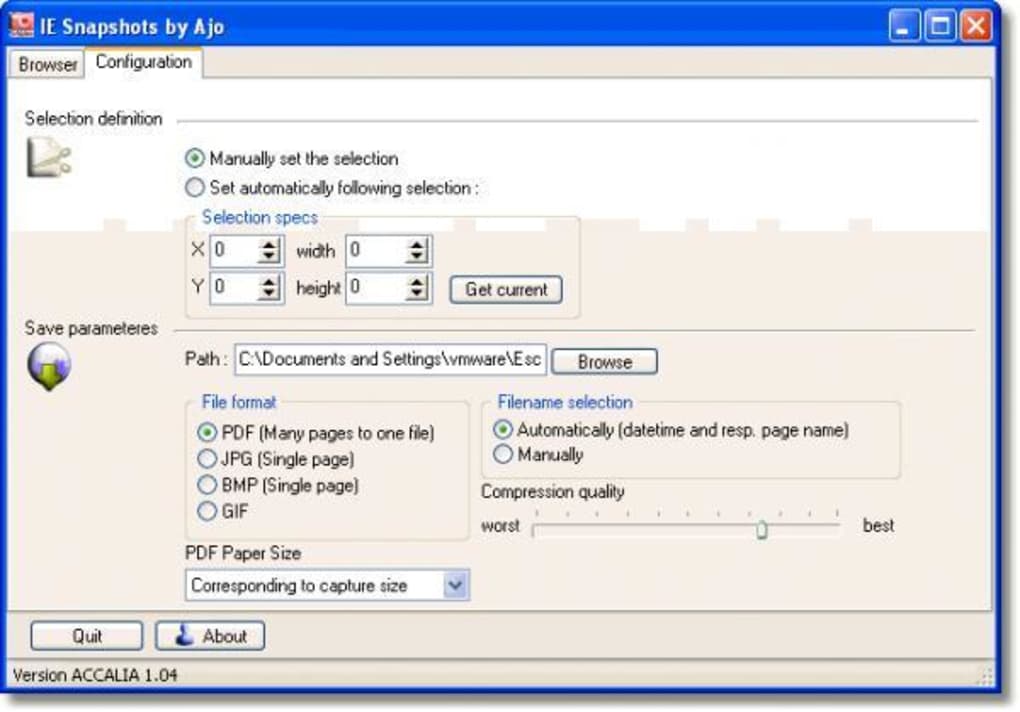
- Multiple Output Formats: Saves captured pages as PNG or JPEG files with high clarity and quality.
- Free to Use: No trial restrictions, no in-app purchases—just download and start capturing.
- Fast Processing: Captures and stitches pages quickly, even on slow connections or older hardware.
Another notable feature is the ability to capture web pages that include dynamic content, such as AJAX-loaded sections or interactive elements. While it may not render JavaScript-heavy sites perfectly, it generally handles most standard web pages effectively. For users who need to document website layouts, save articles, or archive online content for future reference, IE Snapshot provides a reliable and efficient workflow.
Although it’s limited to Internet Explorer, this restriction is not a major drawback for many users, especially those in enterprise environments where IE is still in use. The tool’s compatibility with legacy systems makes it a valuable asset for organizations maintaining older infrastructure. Additionally, the fact that it doesn’t require installation (can be run from a USB drive) adds to its portability and convenience.
How to Install and Use IE Snapshot on Windows
Installing IE Snapshot is straightforward and requires no complex configuration. The software is distributed as a standalone executable, meaning you don’t need to go through a traditional installer. Here’s a step-by-step guide to get started:
- Download the Software: Visit the official website or a trusted download portal and get the IE Snapshot executable file (usually around 1-2 MB).
- Run the File: Double-click the downloaded file to launch the tool. No installation is required—just run it directly.
- Launch Internet Explorer: Open Internet Explorer and navigate to the web page you want to capture.
- Click the IE Snapshot Button: Look for the small icon on the IE toolbar. Click it to initiate the capture process.
- Wait for Processing: The tool will automatically scroll through the page, capture each section, and merge them into one image.
- Save the Image: Once complete, choose a location to save the full-page screenshot in PNG or JPEG format.
Using IE Snapshot is intuitive and requires no prior technical knowledge. The entire process takes less than a minute, even for lengthy pages. For users who need to capture multiple pages, the tool supports batch operations through manual repetition. While it doesn’t offer advanced editing tools, the output quality is sufficient for most documentation and archiving needs.
It’s important to note that since IE Snapshot relies on Internet Explorer’s rendering engine, it may not work perfectly with modern, JavaScript-heavy websites. However, for static or moderately dynamic content, it performs admirably. The tool is also safe to use—no malware, no ads, and no hidden trackers, making it a secure option for downloading and using.
Compatibility, Pros, and Cons at a Glance
IE Snapshot is designed for older Windows systems, making it a niche but valuable tool for specific user groups. It supports Windows 98 and earlier versions, which is rare in today’s software landscape. This makes it a go-to choice for users working on legacy systems or in environments where upgrading is not an option.
Pros
- Free and ad-free software with no hidden costs.
- Extremely lightweight—uses minimal CPU and memory.
- Perfect for capturing full web pages without manual scrolling.
- Simple interface with one-click capture via IE toolbar.
- Portable—can be run from a USB drive without installation.
Cons
- Only compatible with Internet Explorer (no support for Chrome, Firefox, or Edge).
- Latest update was in 2009—no recent improvements or bug fixes.
- May struggle with modern, JavaScript-heavy or dynamically loaded websites.
- Supports only older Windows versions (98 and earlier).
- Limited to PNG and JPEG output formats.
Frequently Asked Questions (FAQ)
Is IE Snapshot free to download and use?
Yes, IE Snapshot is completely free to download and use. There are no trial periods, subscription fees, or in-app purchases. It’s a one-time download with no ongoing costs.
Can I use IE Snapshot on Windows 10 or Windows 11?
IE Snapshot is designed for Windows 98 and earlier versions. It may not run properly on Windows 10 or 11 due to compatibility issues with newer operating systems. For modern systems, consider alternatives like LightShot or FastStone Capture.
Does IE Snapshot support other browsers besides Internet Explorer?
No, IE Snapshot is specifically built to work with Internet Explorer only. It integrates directly into the IE toolbar and cannot capture pages from Chrome, Firefox, Edge, or other modern browsers.
How do I save the captured web page?
After capturing a full web page, IE Snapshot prompts you to choose a location and file name. It saves the image in PNG or JPEG format, both widely supported and suitable for sharing or embedding.
Is IE Snapshot safe to download?
Yes, IE Snapshot is safe to download from trusted sources. It’s a lightweight, standalone tool with no known malware or tracking components. Always download from official or reputable websites to ensure security.
Final Verdict: A Niche but Reliable Tool for Legacy Systems
While IE Snapshot may not be the most modern screen capture tool on the market, it remains a valuable resource for users working with older Windows systems or relying on Internet Explorer. Its ability to capture full web pages in one image—without scrolling or stitching—makes it a time-saver for documentation and research tasks. Despite its outdated update cycle, the software is stable, secure, and efficient.
If you’re still using Windows 98, XP, or a similar legacy system, and need a reliable way to save complete web content, IE Snapshot is a solid choice. For modern users, consider upgrading to more current tools like FastStone Capture or LightShot. However, for those in niche environments, IE Snapshot continues to deliver on its core promise: simple, free, and effective full-page captures.
Download IE Snapshot today and simplify your web content archiving process—especially if you're working in a legacy Windows environment.







